Bloxbuyx:Steal a Brainrot: How to Access Admin Commands and Special Powers
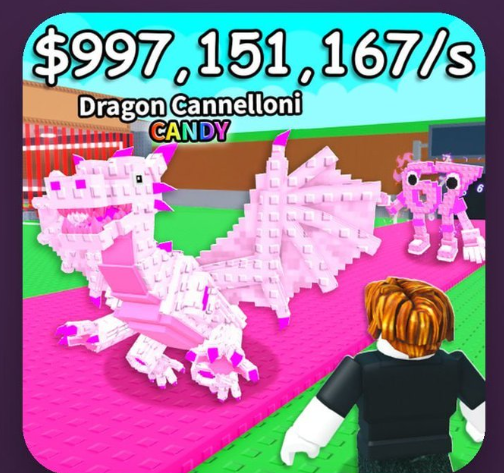
In Steal a Brainrot, Admin Commands give players access to special abilities that can affect other players and create funny situations during gameplay. From launching characters into the air to changing their appearance, these commands add another way to interact with friends and other players.
However, Admin Commands are not automatically available to everyone. Players need to unlock the Admin Panel through a special Game Pass before they can use the commands.
If you want to learn how to get Admin Commands, how to activate them, Steal a brainrot shop and what to check before spending Robux, this guide covers the essential steps.
What Are Admin Commands in Steal a Brainrot?
Admin Commands are special in-game functions accessed through the Admin Panel. They allow eligible players to activate different effects on themselves or other players.
Some commands focus on movement, while others change character appearances or temporarily affect another player's controls.
Here are some examples of commands documented in the game:
Command
Effect
;rocket
Launches a player into the air
;ragdoll
Makes a player fall using ragdoll physics
;balloon
Gives a player's head a balloon effect
;inverse
Reverses a player's controls temporarily
;nightvision
Provides night vision
;jail
Traps a player in a temporary cage
;control
Allows control of another player's character temporarily
;jumpscare
Triggers a jumpscare effect
;tiny
Makes a player smaller
;morph
Changes a player's appearance into a Brainrot
The available commands and their behavior may change with game updates. You can check the current command list using the in-game panel.
How to Get Admin Commands in Steal a Brainrot
The official way to unlock Admin Commands is to purchase the Admin Commands Game Pass.
Unlike regular Brainrots, which can be obtained through in-game purchases, stealing, or other game mechanics, this feature requires Robux.
Follow these steps to get it:
Step 1: Open Steal a Brainrot
Launch Roblox and enter the Steal a Brainrot experience.
Wait until your character loads into the game. Make sure you are using the correct Roblox account before purchasing anything.
Step 2: Open the Shop
Find and click the Shop button on the left side of the screen.
The shop contains different categories of items and upgrades. Look for the Gamepasses section to find the available passes.
Step 3: Find the Admin Commands Game Pass
Open the Gamepasses tab and locate Admin Commands.
Check the displayed Robux price before purchasing. Third-party trackers have reported different prices at different times, so the in-game purchase screen should be your final reference.
The Admin Commands pass has been listed at several prices, including 7,499 and 7,999 Robux in published game-pass tracking sources.
Step 4: Complete Your Purchase
If you have enough Robux and want to unlock the feature, select the purchase option and confirm the transaction.
After the purchase, check whether the Admin Panel is available in your game. If the feature does not appear immediately, try rejoining the experience.
How to Use Admin Commands
Once you own the required Game Pass, you can start using the available commands.
There are two main ways to access the Admin Panel.
Method 1: Use the Chat Command
Open the in-game chat and type:
;cmds
This command displays the available Admin Commands.
Choose the command you want to use and follow the interface instructions. Some commands require you to specify a player.
Method 2: Open the Admin Panel
You can also look for the AP button near the upper-left area of the screen.
Click it to open the Admin Panel. From there, you can select an available command and choose its target when required.
Remember that not every command works in exactly the same way. Check the displayed instructions before activating an effect.
Can You Get Admin Commands for Free?
Currently, the documented official method is purchasing the Admin Commands Game Pass.
Be careful with websites, videos, or third-party scripts promising unlimited free admin powers. These offers do not replace ownership of the official Game Pass.
Never share your Roblox password, authentication cookies, or account recovery information with websites claiming to unlock Admin Commands.
If you want to save your Robux, consider participating in regular gameplay and keeping an eye on official game updates instead.
Is the Admin Commands Game Pass Worth Buying?
The answer depends on how you enjoy Steal a Brainrot.
If you like experimenting with character effects, interacting with friends, or creating entertaining gameplay videos, the Admin Panel may be an interesting purchase.
However, players mainly focused on collecting Brainrots, earning money, and progressing through rebirths should consider their priorities before spending a large amount of Robux.
You can also explore a reliable Steal a Brainrot Shop or SAB Shop to compare available Brainrot items if collecting is your main goal.
Before purchasing anything, check the current inventory, prices, and transaction details.
Conclusion
Getting Admin Commands in Steal a Brainrot is straightforward: open the brainrot shop , find the Admin Commands Game Pass, complete the Robux purchase, and access the feature through ;cmds or the AP button.
Whether you want to experiment with different effects or create entertaining moments with friends, understanding how the Admin Panel works can help you make better use of this feature.
If collecting rare Brainrots is your main objective, explore the Brainrot Shop and compare available items before deciding where to spend your budget.

 English
 Arabic
 French
 Spanish
 Portuguese
 Deutsch
 Turkish
 Dutch
 Italiano
 Russian
 Romaian
 Portuguese (Brazil)